Now available for macOS 13+

OmniKey

One app for every shortcut, gesture, and automation on your Mac.

Create global keyboard shortcuts, mouse gestures, trackpad gestures, and Magic Mouse gestures that launch apps, run scripts, manage windows, switch tasks, and more. Fully offline. Zero data collection.

Keyboard Shortcuts Mouse Gestures Trackpad Gestures Magic Mouse Window Snapping Clipboard History Alt+Tab Switcher Key Remapping Shell Commands AppleScript
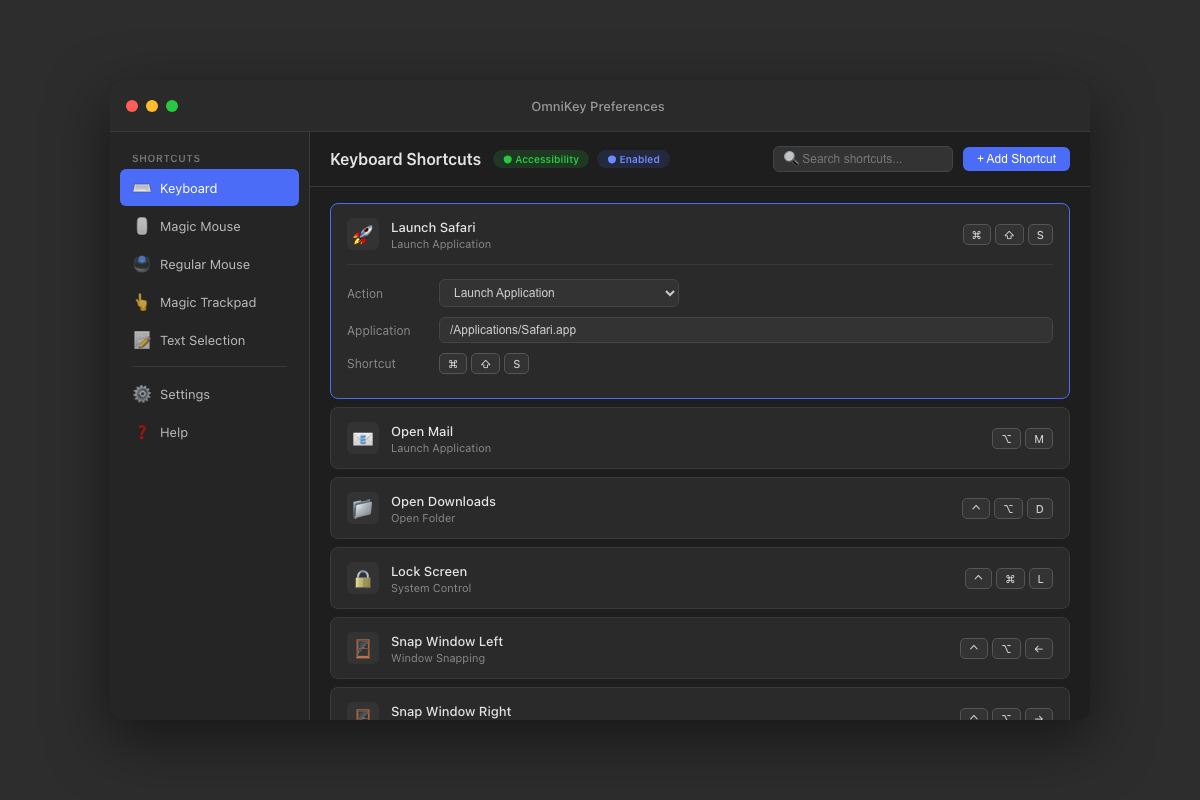
OmniKey Preferences — Keyboard Shortcuts

Four ways to trigger

Create custom inputs using keyboard, mouse, trackpad, or Magic Mouse gestures.

Keyboard Shortcuts

Any key + modifier combo including Cmd, Option, Control, Shift. Even chord sequences for two-step combos.

⌘ K ⌃ Shift G ⌥ ⌘ S

Mouse Gestures

18 combinations: clicks, holds, and directional drags on left, middle, and right mouse buttons.

Click Hold Drag

Trackpad Gestures

13 gestures including pinch, rotate, smart zoom, and 2/3-finger swipes in all directions.

Pinch Rotate Swipe

Magic Mouse

7 gestures: left/right swipe, smart zoom, and 4-directional scrolling on your Magic Mouse.

Swipe Scroll Zoom

60+ Actions at your fingertips

From launching apps to controlling windows, running scripts to managing clipboard history.

Apps & Folders

Launch apps, bring to front, open folders

Window Management

Close, minimize, maximize, arrange all

Window Snapping

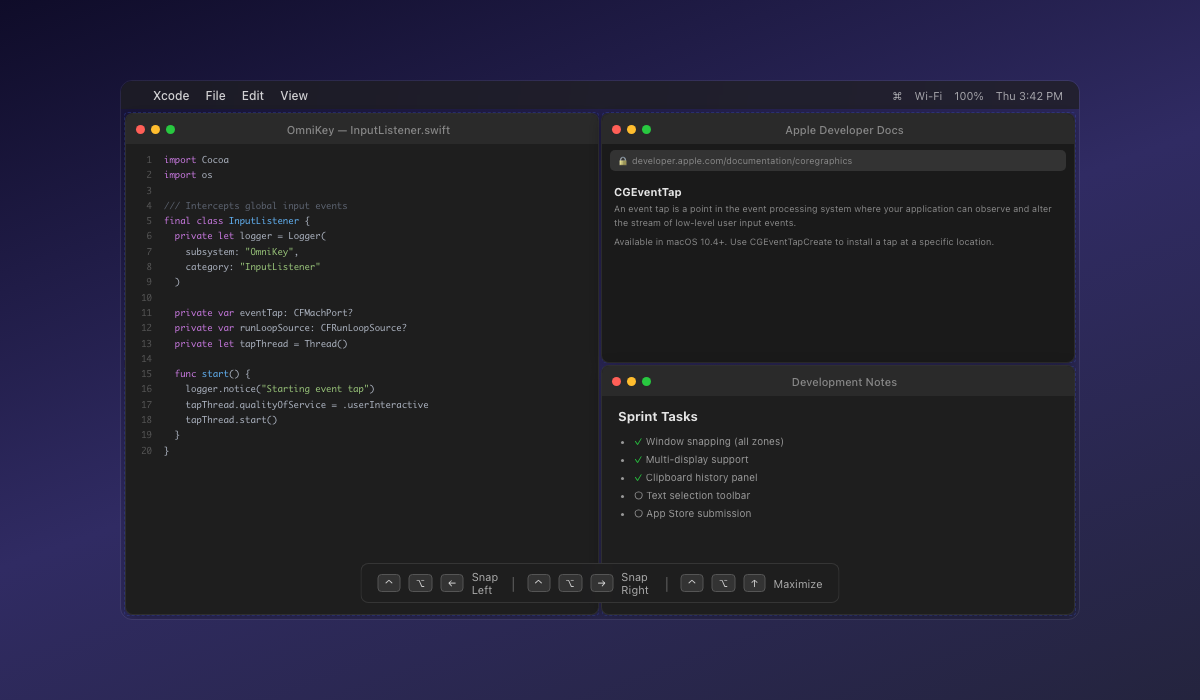
Snap to halves, thirds, quarters, corners

Multi-Display

Move windows between displays

Mission Control

Expose, spaces, Launchpad, notifications

System Controls

Lock, sleep, screensaver, dark mode

Screenshots

Quick screenshot selection tool

Common Shortcuts

Copy, paste, undo, redo, find, save

Scripting

Shell commands, AppleScript, Shortcuts

Media Controls

Play, pause, volume, brightness

Key Remapping

Remap any key to another key

Clipboard History

Searchable clipboard history panel

Clipboard History

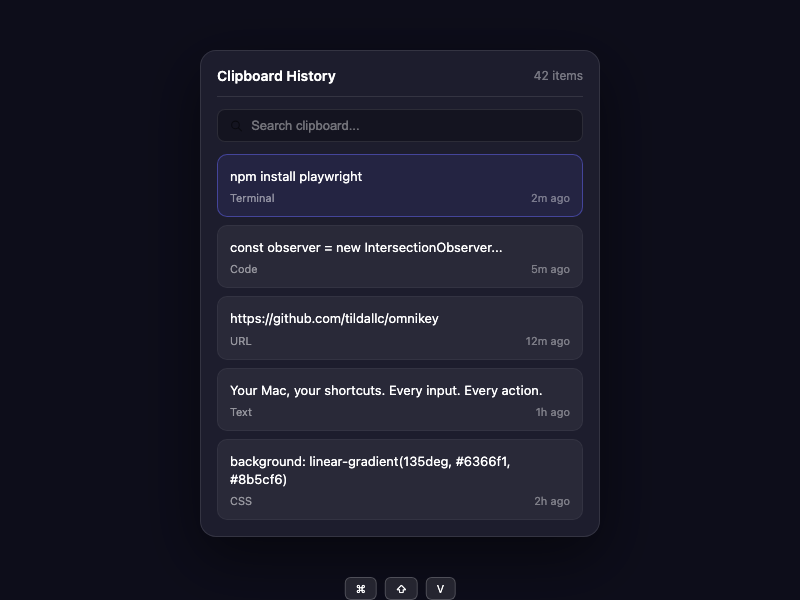
Never lose a copied item again. Instant access to everything you've copied, right from a keyboard shortcut.

OmniKey Clipboard History — searchable panel with source app icons and timestamps

Instant Search

Type to filter through your entire clipboard history. Find that URL, code snippet, or text you copied hours ago in milliseconds.

Paste on Select

Click any item to paste it directly into the active app. No extra steps — select and it's pasted.

Source App & Timestamps

See which app each item was copied from with its icon, plus relative timestamps so you always know the context.

Keyboard Navigation

Open with a shortcut, navigate with arrow keys, press Enter to paste. Your hands never leave the keyboard.

Persistent & Configurable

History persists across app restarts. Configure the maximum number of items to keep (default 50). Clear history anytime.

Text Selection Toolbar

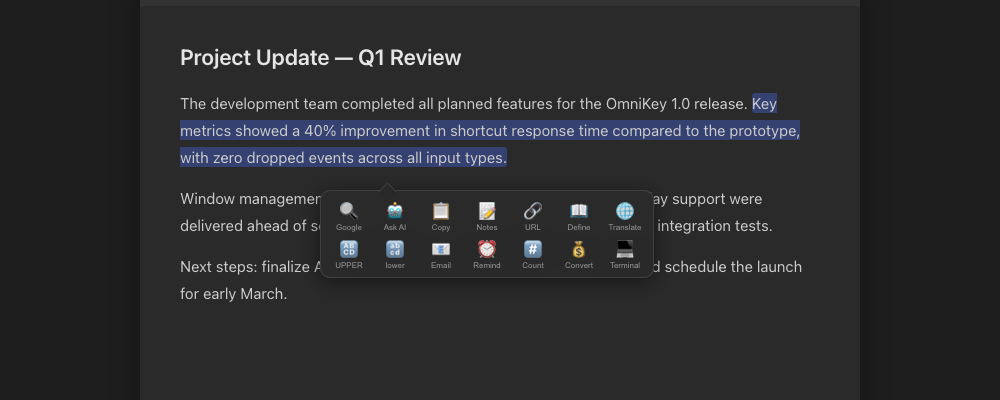
A floating toolbar with 22 powerful tools appears whenever you select text.

Text Selection Toolbar floating over selected text

Search

Google, Bing, DDG

AI Query

ChatGPT, Claude, Gemini

Copy

Normal, Plain text

Notes

Send to Notes app

Transform

Upper, Lower, Title

Utilities

Define, Translate, Count

Window Management

Organize your windows with precision. Snap, arrange, and switch with ease.

Desktop with snapped windows — Xcode, Safari, and Notes

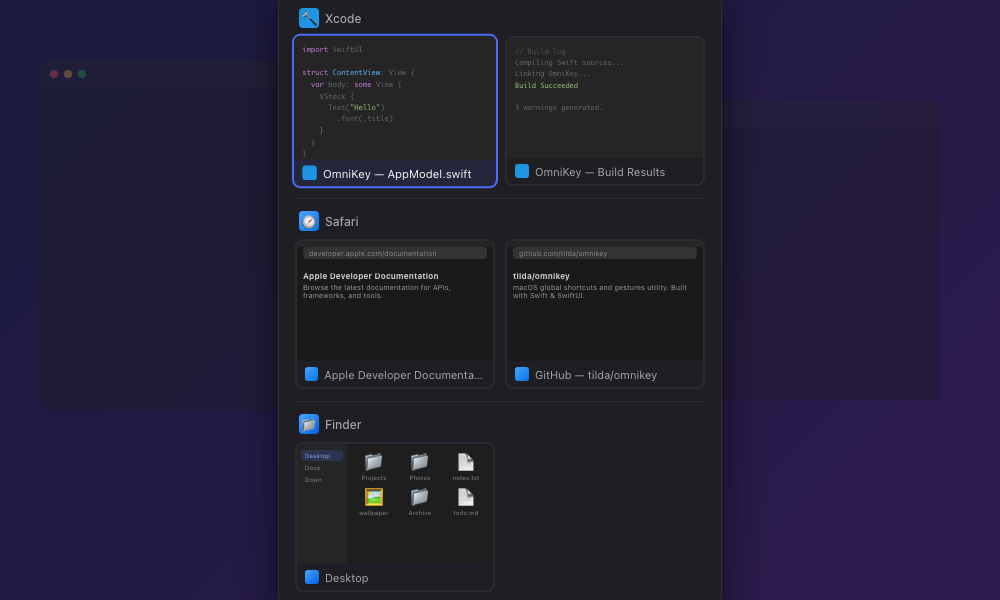
Window Switcher

Alt-Tab replacement with visual preview of all open windows across spaces.

Multi-Display

Move windows between displays instantly. Perfect for multi-monitor setups.

Restore Position

Remember and restore window positions. Never lose your layout again.

Window Switcher — Alt-Tab replacement with visual previews

Always Accessible

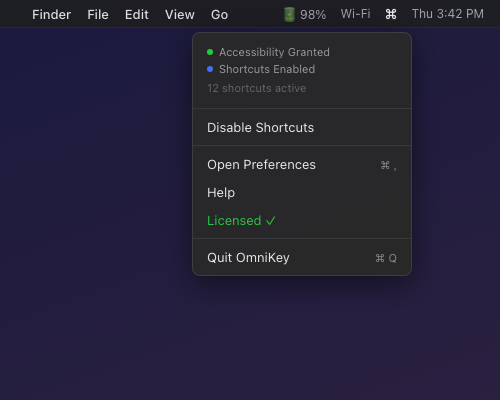
OmniKey lives quietly in your menu bar, ready when you need it. No dock icon, no clutter — just instant access to all your shortcuts.

OmniKey menu bar dropdown

Privacy First

No Analytics

Zero tracking, zero telemetry

No Network

Works completely offline

No Data

Your shortcuts stay local

OmniKey doesn't collect any data. No analytics. No network requests. Your keyboard shortcuts and configurations stay on your Mac.

Simple Pricing

One app. One price. Free updates.

$4.99 one-time

Available on Mac App Store

Download for Mac
Free updates forever
60+ actions included
macOS 12.0+

Ready to supercharge your Mac?

Join thousands of users who have transformed their workflow with OmniKey.

Download OmniKey

macOS 12.0+ • Universal Purchase • Instant Download